




 Back to list

Lack of global vision is a major weakness in companies and organizations. How can you hope to make the right decisions without a consolidated, homogenized view of your actions? Are projects really aligned with the company’s strategy and reality? How can we be sure of our ability to get things done, allocate the right resources at the right time, and optimize? The Project portfolio is the answer.
1. The importance of Project portfolio management (PPM) & its benefits
What is Project portfolio management (PPM)?
PPM ( Projects Portfolio Management) is a governance tool that supports strategic decision-making. Its role is to ensure that Projects (and Programs, and even recurring activities when steered within a portfolio) contribute to the company’s strategy and deliver the expected Return on Investment (ROI). Selection and arbitrage are key words in portfolio management.
In other words, Project portfolio management (PPM) aims to answer the question, for each project that makes it up: are we sure that this investment is right for us, and how will it contribute to our strategic objectives? And more broadly, which Projects should we start, postpone or stop?
Please note: portfolio management should not be confused with project management: the former, which is decision-oriented, aims to “do the right projects”, while the latter, which is operational, aims to “do the projects right”.
What are the advantages of Project portfolio management?
Having a portfolio of Projects and being able to steer it properly offers many benefits:
- Guaranteed alignment of Projects with the organization’s strategy
- Greater overall success for projects by improving their performance, and therefore their ROI: by keeping a close eye on resources, planning, budgets and strategic alignment, we significantly improve the chances of bringing projects to completion with the best possible return on investment, and limiting budgetary drift.
- Accelerated time-to-market: once the methodology has been tested and standardized, there is no need to “reinvent the wheel” for each project: schedules and productivity are optimized by eliminating redundant tasks, particularly administrative and reporting tasks.
- More relevant arbitration: the projects selected for inclusion in the portfolio are those that will bring the most value to the organization; low-value projects are more easily put aside, since decision-making, based on scoring, is rational and, ideally, collective.
- Increased collaboration: a Projects portfolio is a tool around which we share, debate and agree. It’s therefore a key factor in strategic alignment and collective buy-in.
- Harmonized and often professionalized project management practices, with a consistent framework that drives performance and operational excellence in Projects management and its peripheral areas (risks, etc.).
- More efficient management with greater supervision, consolidated reporting, etc.
- An IT department that is valued: especially when strategic priorities are clearly defined, the project portfolio demonstrates the added value that projects bring.
The fact remains that setting up a portfolio of Projects to be built up and monitored over time is not self-evident in all organizations; in addition to the fact that a sufficient critical mass of projects identified as such is required to justify its implementation, it also implies a cultural change in the organization that challenges many players and their practices.
2. Portfolio management players
While each organization is different, these different “hats” are commonly used to build and track the Projects portfolio:
- The PMO (Portfolio Management Officer) has a pivotal role as manager of the Projects portfolio; he/she plays a key communication and coordination role, interfacing with all other stakeholders. At the heart of the information system, he or she is responsible for the analysis and governance of the Projects or Programs that make up the portfolio. It’s also the Workload’s job to keep the portfolio alive, so that – if need be – the priorities of integrated projects can be reassessed, and new ones brought on board as and when required. From assistant to the project manager to the right-hand man of the management team, the profile and tasks of the Project Manager can vary from company to company. In small organizations, the function is often confused with the person, and is even sometimes combined with other roles; on the other hand, in very large organizations, the PMO is a department, made up of several people.
- The CIO: When most projects are IT-related, the PMO generally reports to the CIO; in other cases, the CIO serves as a key point of contact, as few projects have no impact on information systems.
- Project managers: they work closely with the PMO, who sets the general framework for Project management. It’s up to them to implement it, and ensure that processes are compliant, best practices are in place, milestones and KPIs are tracked…
- Business units or other project stakeholders (internal or external): as the originators of most project requests, they ensure that the projects undertaken remain aligned with their needs and expectations.
- Senior management: they are inevitably closely or remotely concerned (depending on the organization’s culture) with the project portfolio, as it is vital to achieving the company’s overall strategic objectives and aligning projects with this strategy.
- CFO (and management control): oversees or monitors Budgets, costs and overall financial management of Projects.
- The Quality Department: where it exists, it ensures that project management processes comply with the quality standards defined by the organization.
3. Project portfolio construction and tracking stages
While each organization deploys its own methodology for building and tracking project portfolios, there are a number of essential elements. And the days of project portfolios frozen in time for a given period are over. They now evolve continuously, steered by Agility.
Before getting started, it’s important to determine the scope of the Project portfolio(s) you wish to build. It’s all a question of cursor, with 3 axes to take into account:
- Who owns the projects in the portfolio? The Academic Affairs Office? The entire IT Department? The company as a whole?
- Which Projects do you want to follow? Only strategic Projects? All Projects as long as they have a beginning and an end? All investments? Absolutely all expenditure?
- What is the level of maturity of the Projects taken into account? Upgrade or construction projects? Tracking run activities within a portfolio? Upstream: ideas, requirements, scoping, preliminary projects?
Once this is done, we can start building, following these 10 steps:

1. Identify and centralize all business requests (from simple ideas to studies and Projects)
This is the basis: it’s essential to manage ALL incoming requests, even if the level of maturity of the subjects or their potential scope can be very heterogeneous.
This is a role generally assigned to the PMO, who must regularly exchange views with all the company’s Business Departments, listing their Roadmaps and requests as they come in, so as to have the most complete possible view of requirements.
And because to make the right decision, it’s essential to have all the cards in hand, we recommend :
- to regularly update this overview—which is as comprehensive as possible—of all Projects that may be assigned to the IT Department
- to take the initiative without waiting for requests to come to the IT department. We need to anticipate and identify them well in advance by proactively reaching out to the business units.
What do we collect? ALL potential Projects, from the most strategic to the most anecdotal. To do this, we can systematically create a project sheet for each request, even if the project is a minor one. It can contain :
- The subject
- Its nature (strategic, technical, minor)
- The entity, department or division making the request
- The challenge it addresses (business, compliance, data, customer service, internal optimization…)
- Its summary (description in a few brief words)
A way of recording everything so you don’t forget a thing.
2. Clarify and categorize.
Each “candidate” project listed is categorized before being added to the portfolio. This is a form of clarification, an important step because the structuring of the Project portfolio(s) will strongly influence the way in which they are subsequently steered, shared and understood.
The aim is to organize Project portfolios according to organizational needs. With the support of analytical axes, we can cover and cross-reference different criteria:
- by structure (subsidiary x, y, z),
- by nature (internal projects, customers),
- by typology (strategic, business, technical), or by domain: MCO project, technical evolution (technological harmonization, new architecture…), enterprise (responding to a strategic or transformation plan), vendor (responding to a business need), exceptional project…
- by Direction Métiers
- by strategic axis
- …
It is often up to the PMO to categorize these various candidate Projects and to consolidate them, including in a multi-year vision. In this context, the portfolio should be seen as an extension of the IT master plan, which in turn is in line with the company’s strategic Roadmap.
3. Define goals (smart)
To work effectively, Teams need clear objectives to achieve. This is the principle behind SMART objectives: Specific, Measurable, Attainable, Realistic and Time-bound.
A good way of skimming the projects likely to be included in the portfolio is to check that there is a real intention behind them, and that they are realistic and achievable.
The PMO, who can then take on the task of coordinating future arbitration, can begin to involve the Business Units in qualifying their needs, by asking them to share their personal assessment of the issues at stake.
To make the task easier, we can suggest that clients position themselves by specifying their expectations in relation to these 5 questions:
- What is the underlying need?
- What is the expected benefit?
- What is the target delivery date for the Projects?
- What’s the priority?
- What are the company’s strategic challenges, and what impact will they have?
If all referenced requests are qualified in a homogeneous and relevant way, even synthetically, this provides the right value analysis keys for the future.
4. Analyze value to prioritize
The aim is to instruct and validate the launch of new Projects within the framework of allocated IS Budgets. Projects can be prioritized using a mathematical scoring system, which combines value axes and factor axes.
When it comes to value, it is primarily up to the business unit to take a stance, as challenged by the IT department. For example, we can assess the impact of each Project in terms of :
- strategic: what is its direct contribution to a strategic initiative for the business or the company as a whole (with an anticipated long-term impact)?
- economic: will the project generate additional revenue or reduce costs in business and/or IS processes? (short-term impact)
- technical: will the Projects simplify the IS application architecture or technical infrastructure?
- regulatory: does the project meet regulatory requirements?
- user experience, increased customer satisfaction
This analysis should be weighed against the “Factors”—whether positive or negative—that will be used to evaluate the projects’ implementation conditions (in terms of feasibility, risks, and costs) and thus qualify the value generated. It is up to the IT department to take a stance on these factors, as challenged by the business unit. For example, a project could generate very high value but be risky, time-consuming, and complex—and therefore costly. Conversely, a project could generate satisfactory value while being very quick to implement.
It is therefore appropriate to conduct this assessment jointly—with the business unit and the PMO or another representative from the IT department— to collaboratively develop a vision, engage in joint reflection, and better understand each project’s contribution to the company’s strategic priorities, while raising awareness among business stakeholders about the IT department’s own challenges.
At the end of this stage, the score obtained will enable you to narrow down the number of Projects still “in the running”. All that remains is to refine their qualification by entering into a more detailed investigation.
5. Estimate
For this advanced qualification stage, the PMO can designate the pilot project manager for each project, and hand over to him or her. Everyone will start to “get into the swing of things”, and the fact of being given responsibility at this stage is a double lever for a good understanding of the Projects, which will only save time later on, and motivation by being involved in the initial reflection.
At this stage, key budget and planning parameters come into play, even if we remain on a “macro” assessment. The expectations of Projects managers include :
- Summary description of the proposed solution, working hypotheses and identified limitations
- Macro-calculating the budget: we can be satisfied with a large-scale simulation (purchasing budget + number of man-days mobilized).
- Macro-planning, which can take the form of a basic Gantt chart with two start and end dates in relation to the desired delivery date, and a standard breakdown of the major stages (design/build/deployment). At this stage of arbitration, the main thing is to confirm that the desired Projects are feasible and do not pile up in a period that is already completely saturated, for example.
- An initial integration of project risks that may ultimately affect the evaluation and scoring of the project: technological risk, change management, lack of expertise, etc.
6. Plan
This stage involves validating the inclusion of Projects in the portfolio’s Roadmap, and allocating the necessary Resources.
- Project prioritization must be realistic—that is, feasible in terms of budgets and the number of person-days required. Therefore, prioritization must be based on the budget that is actually available—in other words, the portion not already allocated to day-to-day operations or to the completion of projects already underway. In this context, real-time coordination with the IT department’s resources and budgets is essential for working with realistic assumptions—or even simulations.
- One of the keys to arbitration may be to make sure you build balanced Project portfolios:
- over time (a parameter that’s easy to control using a Gantt view of the Projects portfolio, for example)
- in terms of professions (not over- or under-representing a department, for example)
- or contribution to the achievement of strategic goals.
7. Run and monitor
This stage is essential. It consists of ensuring that the commitments made for each project are respected, whether in terms of functional scope, Budgets, deadlines or project quality. And, if necessary, to make the necessary arbitrations. To function properly, the methodology used to manage the projects that make up the portfolio must be as harmonized and unified as possible.
To achieve this, the PMO must ensure that the key principles and terminology used within the IT department (and even beyond) are commonly understood and accepted: the concepts of phases, Milestones, Deliverables, “work remaining,” and risk assessments must be clear and unambiguous. This step also includes an oversight component, involving risk analysis and tracking.
Tracking and reviewing project budgets is also key.
8. Oversee project assessment
The PMO’s role is therefore central, and goes beyond the official closing of a project. The strengths and weaknesses of the project will be highlighted, so that lessons can be learned from the feedback in all areas: preparation and organization, planning, risk management, quality, communication, methods, best practices, IT/business relations, etc.
9. Adjust portfolio
Project portfolios are alive and kicking: projects are constantly coming in and out (completed, paused, cancelled). Managing a project portfolio therefore inevitably means..:
- Make decisions while dealing with an inevitable form of uncertainty, due to the sometimes distant horizon of the Projects steered
- Constantly seek alignment with the company’s vision, strategy, objectives and culture, as well as with the level of risk it is prepared to assume.
- Take on the changing, fluctuating composition of the portfolio (due to each individual project and to exogenous factors such as the company’s environment)
- Dealing with heterogeneity: mature Projects and new ideas, sometimes varying quantities and qualities of information
- Act within the constraints of limited available resources and the sometimes difficult reallocation of resources (skills, location, etc.).
10. Communicate
The challenge of the Project portfolio is to enable all players – whatever their role in the organization – to have an adapted vision and the useful information required for their respective actions.
What tool(s) can I use to manage my Projects portfolio?
In the software market, there is no shortage of PPM solutions. While it isn’t always easy to choose from the range of existing solutions, one thing is certain: Excel can’t do it all, and good PPM software, when used properly, is undoubtedly an asset for the IT department.
1. The tool isn’t everything, and we mustn’t lose sight of that!
There’s no such thing as a miracle tool, and even less such a thing as a good tool without the associated organization and processes. While it supports structuring by providing a framework that facilitates changes in practices, the PPM tool must be sufficiently flexible to support the defined organization (already in place or newly created) and not the other way round. Before thinking about tools, it is important to define :
- the roles and responsibilities of each person involved, the links between them, the expected reporting procedures, etc. The chosen tool must enable everyone to operate within the framework of this organization.
- processes for data collection, control, reporting, resource allocation, etc. Without defined, clarified, shared, accepted and adopted processes, even with the most accomplished of tools, the machine runs the risk of running out of steam.
- the scope to be covered by the PMO solution. To think too big, to be too ambitious, is to run the risk of embarking on a gas factory, a tool that will only be used for a tiny fraction of its functions. It’s better to move forward in stages; if you’re starting from scratch or with a spreadsheet, start with a modest tool – or one with a high degree of granularity – and gradually bring on board new players once its usefulness has been demonstrated.
- the conditions for adopting the new tool and supporting change. No matter how intuitive and ergonomic the tool may be, you must never neglect to get to grips with it, provide training, explain the objectives and expectations, and take into account the effort required – however minimal – to get on board and adopt new habits. It’s an effort that needs to be sustained over time, to ensure that even the best intentions don’t run out of steam after just a few weeks.
2. There must be consensus on the tool within the IT department—and even beyond!
The challenge is to find a single tool that will meet a variety of needs and satisfy both strategic and operational management requirements. The right Project portfolio management (PPM) tool will avoid the classic pitfalls of project portfolio management, and meet the dual challenge of involving all stakeholders while simplifying everyone’s tasks.
- The CIO or the PMO will ensure that the system allows them to filter and synthesize information to provide an analytical overview of key project-related data, thereby facilitating tracking and decision-making.
- To satisfy the needs of all the other players in Projects and portfolios, care must be taken to ensure that the tool is :
- able to adapt to different work situations, to meet specific needs throughout the project value chain
- simple, intuitive, flexible, easy to learn, because Project management will involve users who may be novices or simply “passing through”.
- capable of automatically feeding the micro into the macro, because “rekeying” or “duplicate data entry” when the tools don’t talk to each other will generate natural resistance on the part of users
- able to propose the right methodology and granularity for accurate but consistent management… despite the heterogeneity of the projects in the portfolio, whether more or less complex or strategic.
3. Excel, PMO software packages, IT solutions: Which tool should you choose?
The most common “default” tool is Excel; it has the advantage of being available on all workstations, but has many limitations that are well-known and widely recognized by CIOs: file clutter, difficulties with traceability and in-depth analysis, inconsistent sharing, collaboration, and delegation, conflicts between versions or templates, limited formatting options, etc.
Keeping track of portfolios in all their dimensions (Workload plan, Capacity planning, Budgets, etc.) can be mission impossible.
There are many Project management or PPM tools available, but they may have certain limitations:
- or implementation (time-consuming, costly set-up),
- or due to usage (excessive features that are not always suited to the needs of small or medium-sized IT departments),
- or to sharing and cooperation (UX too complex to be shared with occasional users, cost of licenses, etc.).
- Another common limitation is that these general-purpose PMO tools rarely bring together all aspects of project management: project > Project portfolio > IT department budget—not to mention the teams and associated vendors. However, if a tool’s functional scope is too limited, it will not encompass all the necessary elements and will therefore have to interface with (at best) or coexist alongside other solutions—which would clearly be less efficient.
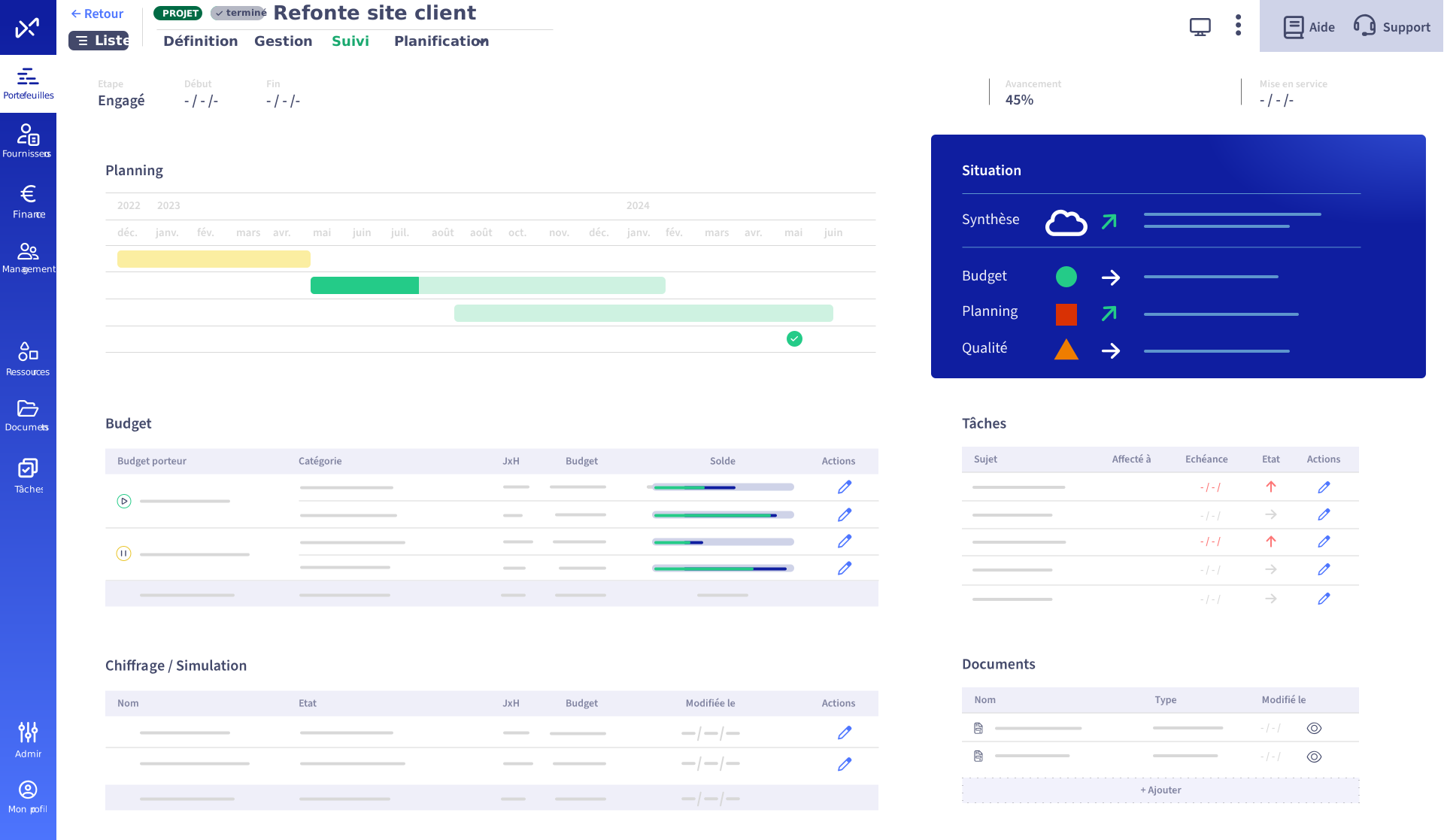
Abraxio, the platform designed to support and streamline the tracking of CIOs’ project portfolios.
The Abraxio solution was conceived and developed by former CIOs and IT Managers who have firsthand experience with the challenges of project portfolio management from various perspectives and who designed a tool tailored to the real needs of IT departments. In particular, Abraxio enables users to:
- Identify all business requests as they come in, using a collaborative tool, and involve the business units in expressing their needs at a very early stage, giving them a sense of responsibility.
- Evaluate requests collaboratively and iteratively, involving teams from the IT department and “requesters,” before leading and coordinating a collective and informed decision-making process
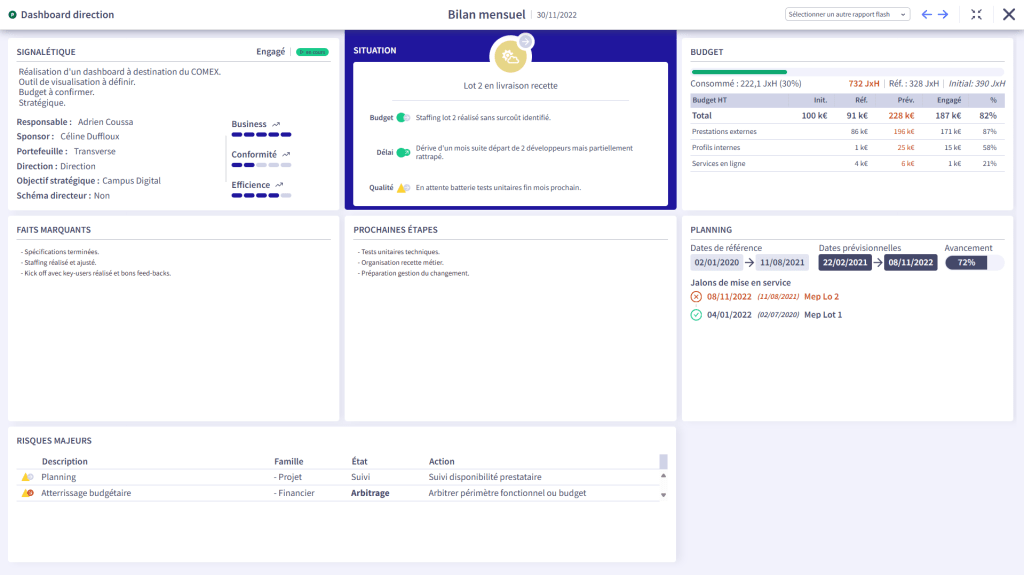
- Share synthetic views, weather forecasts and flash reports for animation and reporting, including Powerpoint exports
- Simple reconciliation of annual and Projects Budgets
- Staffing Teams Efficiently with Effective Capacity Planning
In short, when it comes to steer your Projects portfolio, it’s best to avoid overly-complex, insufficiently-collaborative gasworks, which can be counter-productive by accentuating the gap between those who “get on the train” and the others. On the contrary, it’s better to opt for a tool that’s right-sized, pragmatic and flexible, while still providing a framework.
The compatibility of the selected tool with other aspects of IT department steering can also be taken into account. A single solution saves time, improves efficiency and reliability, and adds value to business management.